Your Clients' Bank Statements. Categorised. In Minutes.
C.A.S.T automates Bank Statement Transactions as per ITR ready categorization so you spend tax season reviewing — not sulking.

Tax season shouldn't feel like manual labour.
Every ITR filing starts with the same tedious job: sorting hundreds of bank transactions into the right heads.
Hundreds of transactions per client — over the years, with multiple bank accounts and statements
Every statement, every line item, every UPI entry — opened in Excel and labelled by hand.
ITR season means weeks of repetitive categorisation work
The work that drains your team isn't judgement — it's sorting. Hours that should go to review.
One mistake in categorisation = client notice from IT department
A single miscategorised entry can trigger scrutiny, notices, and lost client trust.
From statement to ITR-ready, in three moves.
No new behaviour to learn. Upload what the bank gave you, let C.A.S.T do the sorting, finish with a review.
- STEP 01
Upload statement
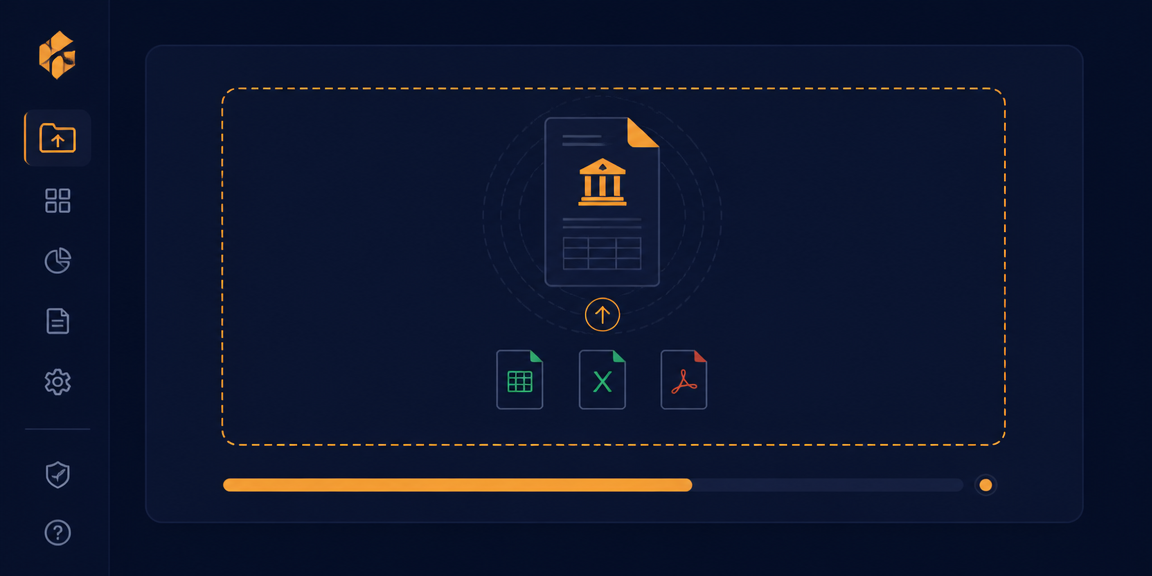
CSV, Excel or PDF — drop in whatever format the bank gave your client.
20+ Indian bank formats - STEP 02
Auto-categorise
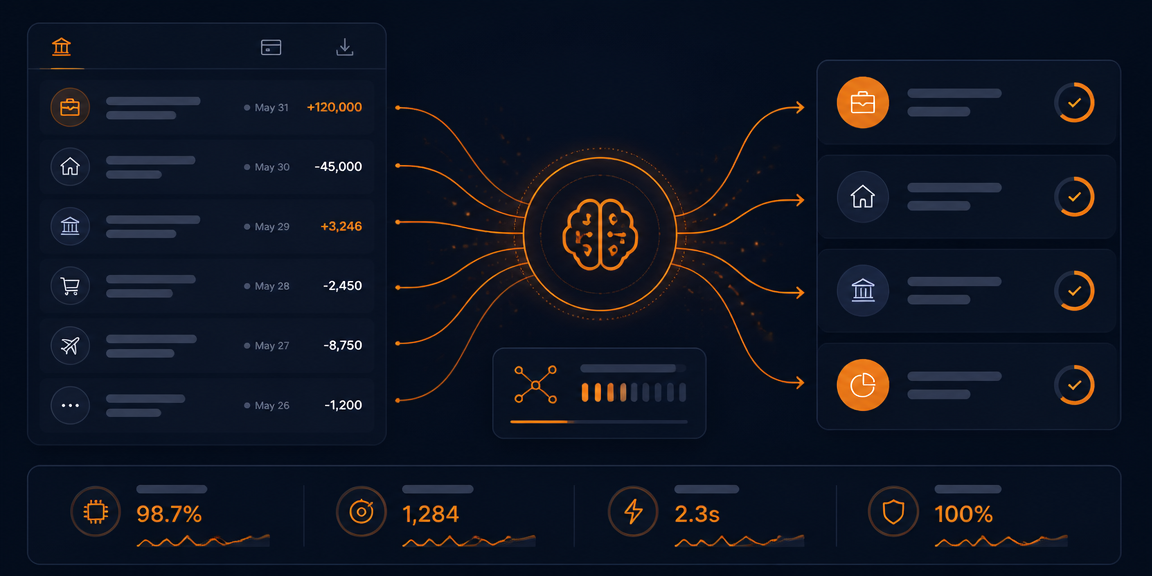
Smart rules read narration, UPI handles and amounts to place each entry under the right ITR head.
~30s per 1,000 rows - STEP 03
Review & export
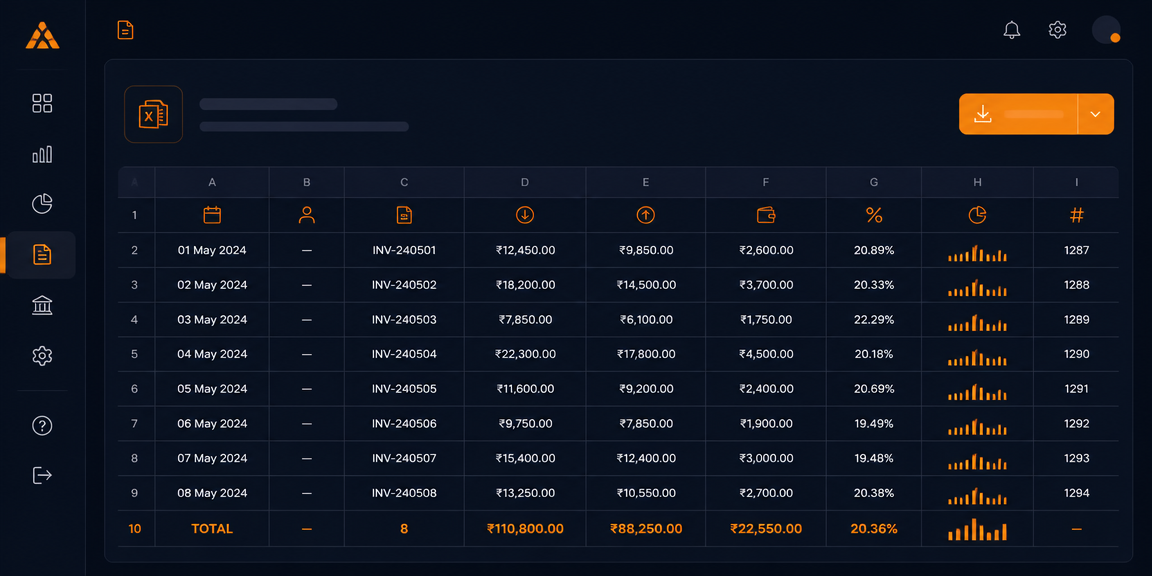
Glance through suggestions, fix outliers in one click, download a clean ITR-ready Excel.
Filing-grade output
Five tabs. One filing-ready workflow.
Upload your clients' bank statements. C.A.S.T categorises every transaction into the right ITR head in minutes — ready for review, not rework.
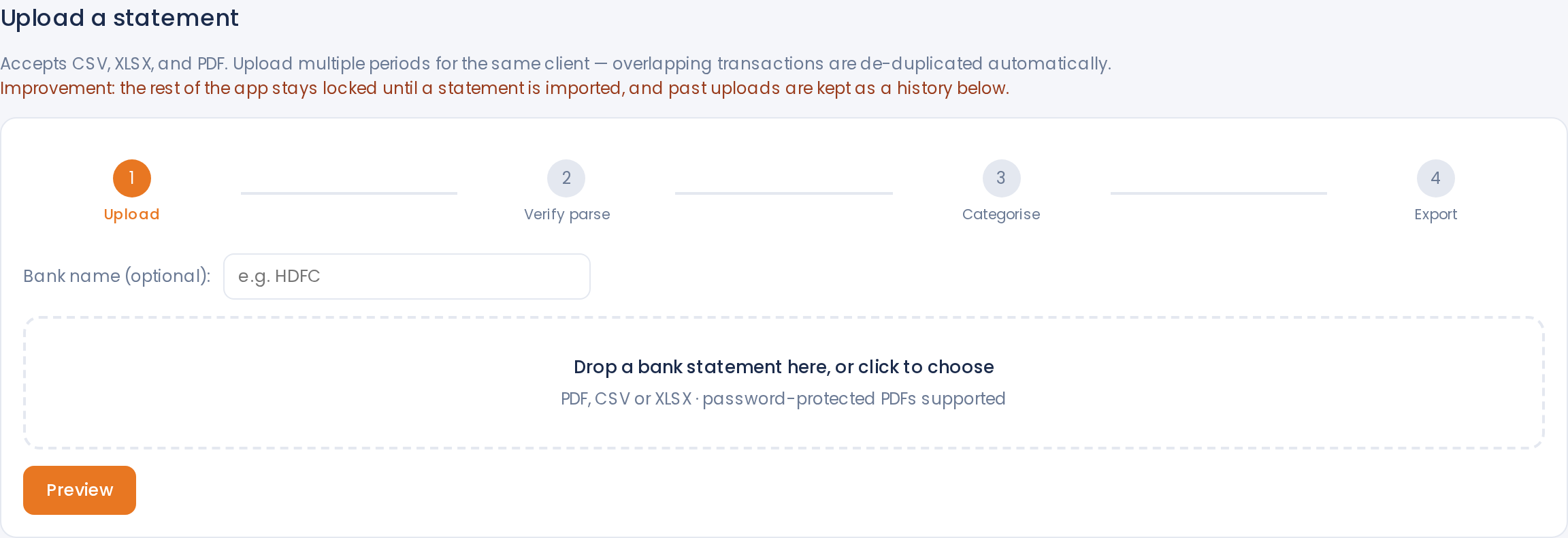
Upload — a guided 4-step import
Drop a CSV, XLSX or PDF and C.A.S.T walks you through Upload → Verify parse → Categorise → Export. Password-protected PDFs and scanned bank statements (OCR) are handled inline, and re-uploading later periods for the same client automatically de-duplicates overlapping transactions.
- 20+ Indian bank formats, incl. password-protected PDFs
- Multi-period uploads with automatic overlap de-duplication
- Rest of the app stays locked until parse is verified — no accidental edits
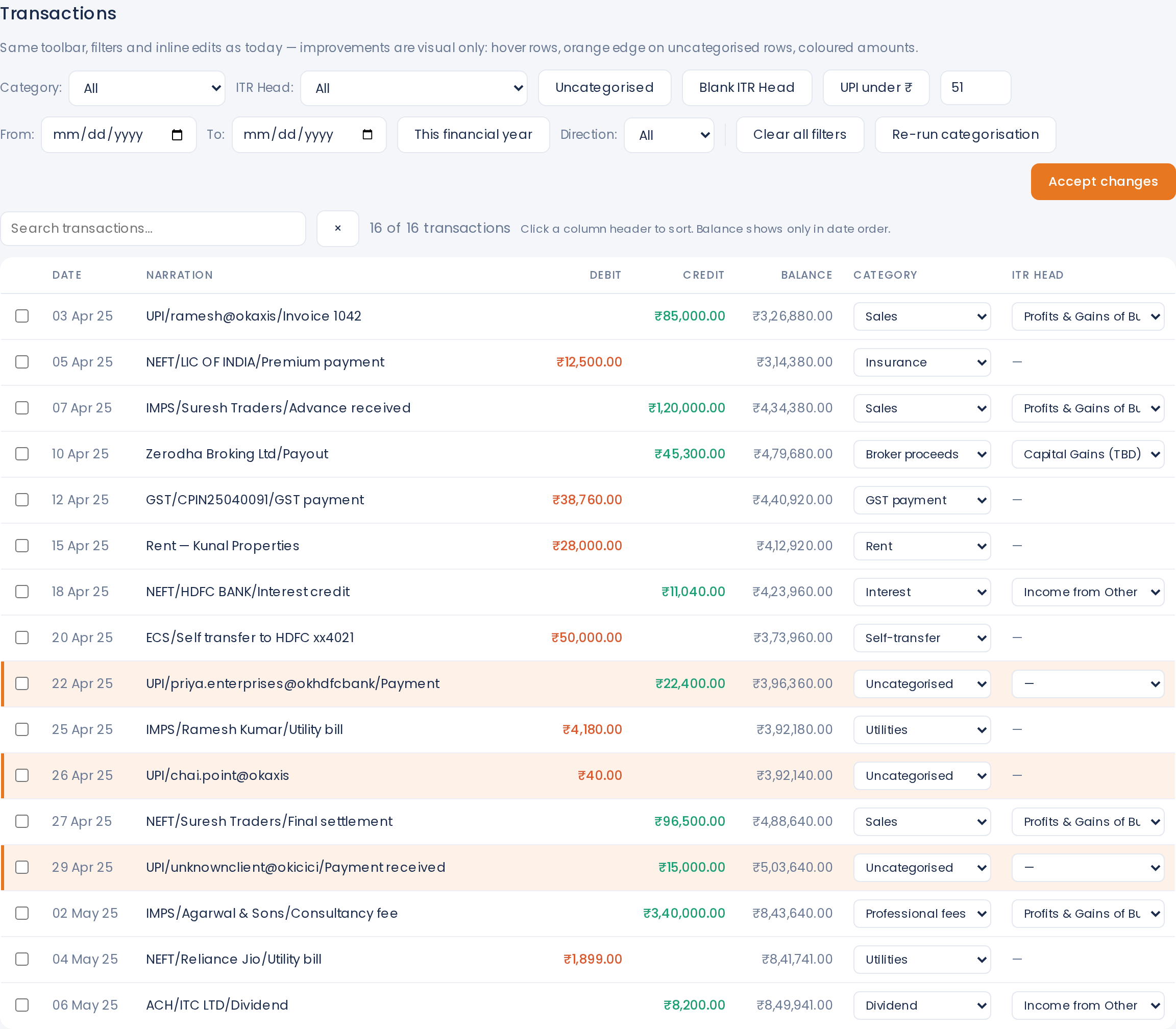
Transactions — every row, editable inline
A full ledger view with search, category & ITR-head dropdowns on every row, and one-click filters for Uncategorised, Blank ITR Head and small UPI (₹51 chip). Uncategorised rows get an orange edge so nothing slips past review, and 'Re-run categorisation' picks up your overrides for the next import.
- Inline edit of Category and ITR Head — no spreadsheet round-trip
- Chip filters: Uncategorised · Blank ITR Head · UPI under ₹51
- Coloured amounts (credit green, debit orange) for scannable review
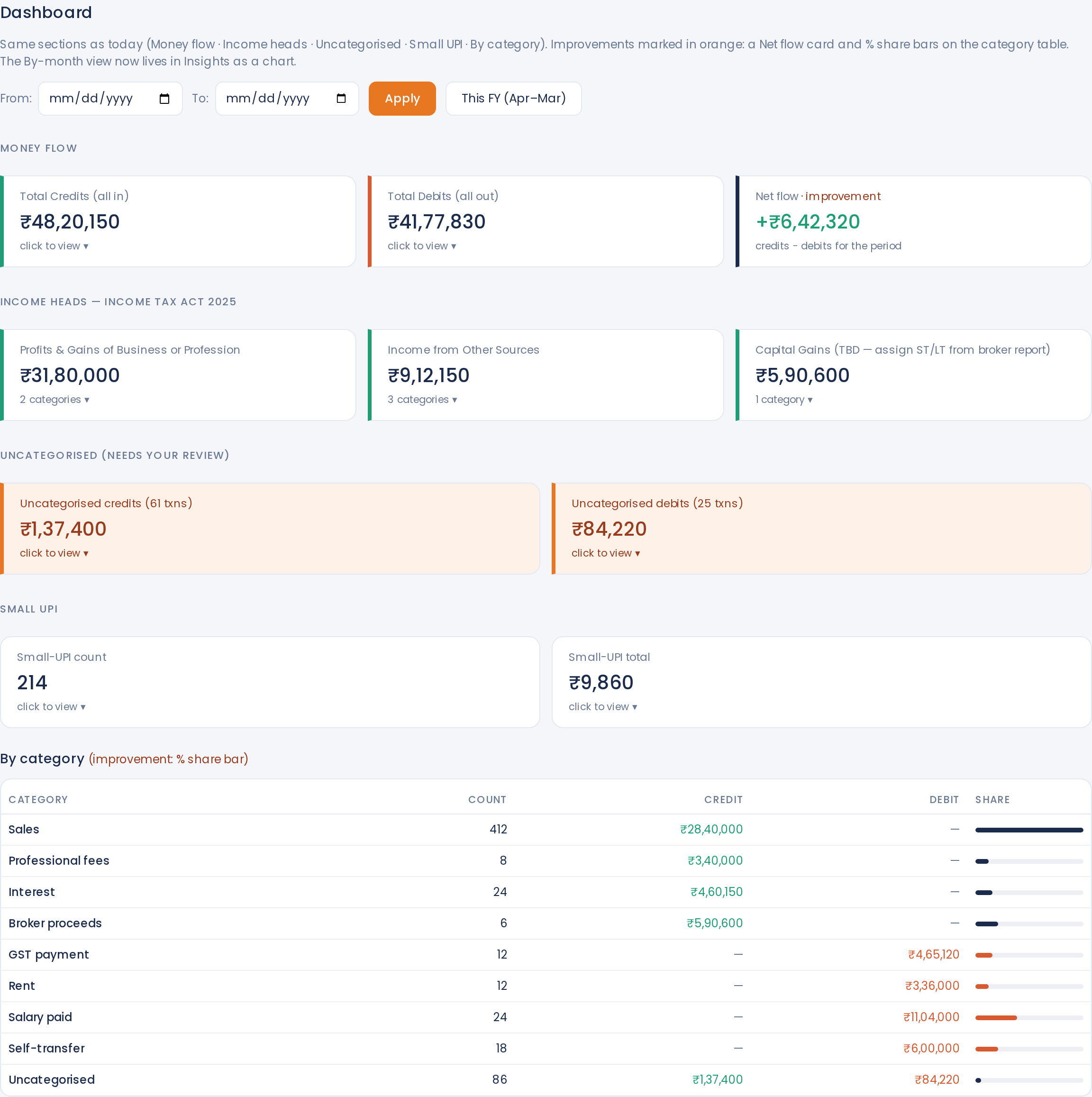
Dashboard — filing-ready, at a glance
A single screen with Money flow (credits, debits, net), Income heads mapped to the Income Tax Act 2025 (Business & Profession, Other Sources, Capital Gains), an Uncategorised review queue, Small-UPI totals, and a By-category table with % share bars — the last few items before you sign off.
- Income heads pre-mapped to Income Tax Act, 2025
- Uncategorised credits & debits promoted to their own review cards
- By-category table with count, credit, debit and % share bars
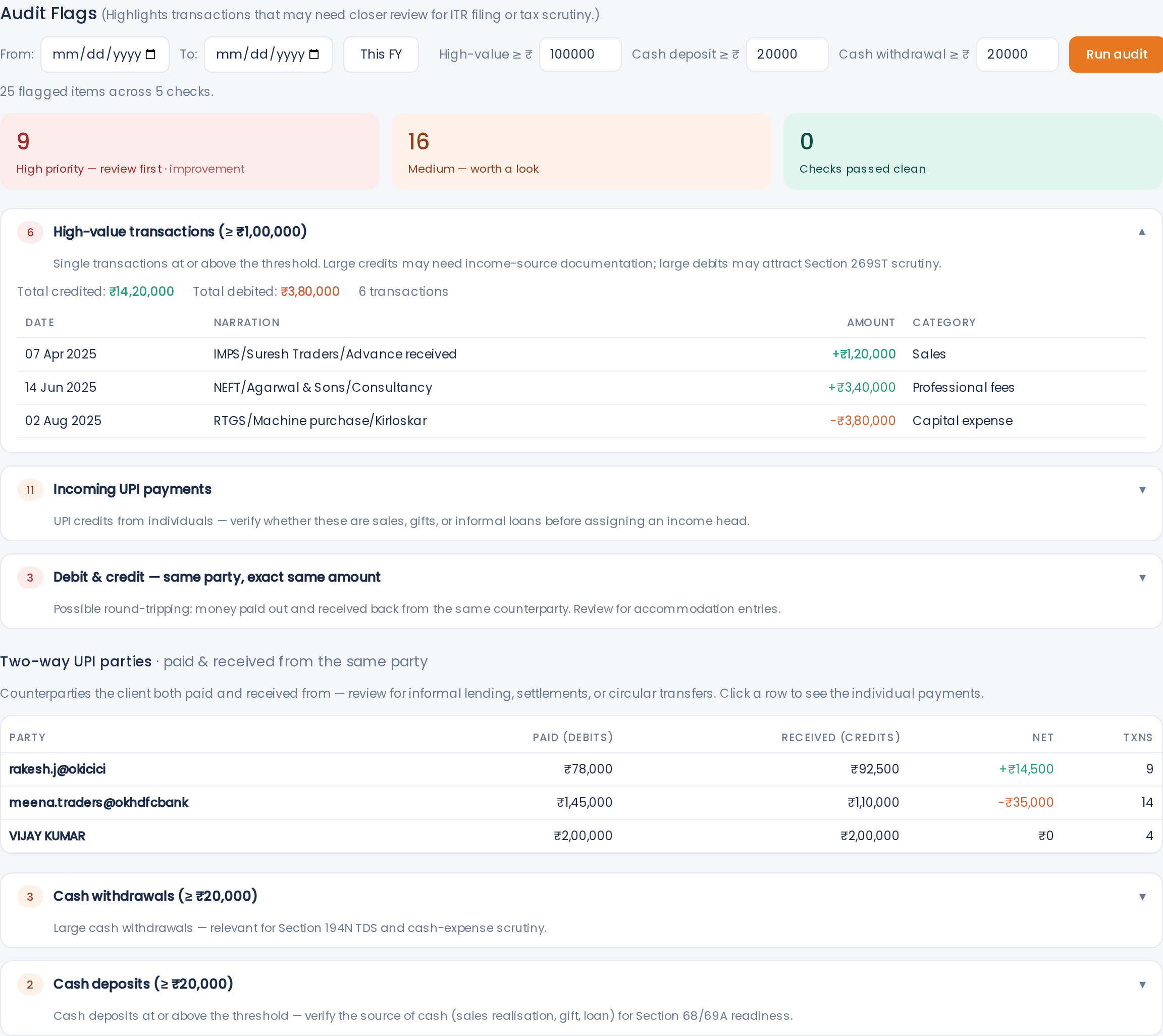
Audit Flags — catch what draws a notice
Five statutory-aware checks run on every file: high-value transactions (₹1L+), incoming UPI credits, same-party debit + credit (round-tripping), two-way UPI counterparties, cash withdrawals and cash deposits. Thresholds are editable, and each check cites the relevant section so you can defend the call to your client.
- Section 269ST scrutiny on ₹1L+ transactions
- Section 194N TDS trigger on large cash withdrawals
- Section 68 / 69A readiness on cash deposits and unexplained credits
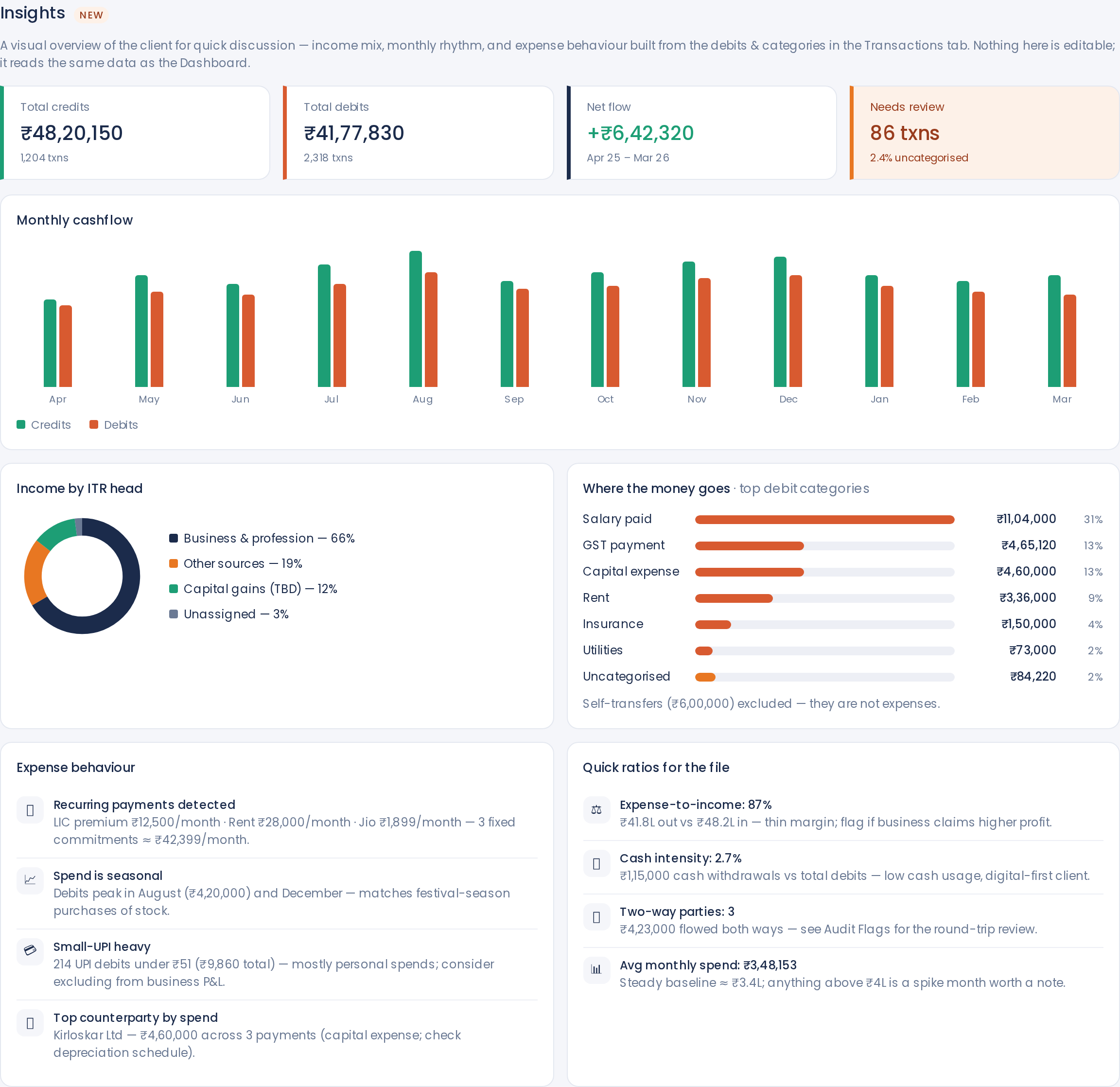
Insights — the file, explained in one screen
A visual client-review page for the demo call or year-end conversation: monthly cashflow bars, Income-by-ITR-head donut, top debit categories, recurring payments detected, seasonality, small-UPI heaviness, top counterparty, and quick ratios like Expense-to-income and Cash intensity — all read from the same categorised ledger.
- Monthly cashflow chart · income-mix donut · top-spend bars
- Auto-detected recurring payments and seasonal spikes
- Quick ratios: Expense-to-income, Cash intensity, Two-way parties, Avg monthly spend
Built by a Finance Professional with more than 15+ years of experience.
C.A.S.T is shaped by hands-on finance experience — the kind that comes from years of working with real books, real client statements, and real tax-filing deadlines.
Be among the first CAs to use C.A.S.T.
Limited early access. Get in touch for Early Bird Offer.